A month after a new website goes live, the owner asks the only question that matters: is it bringing in more work? Usually the answer on offer is a chart of visits going up. Visits are not work. Here is what we set up instead, so the question has a real answer.
Decide what counts before you count it
Most website reports measure the steps that are easiest to count, not the ones that pay. Put the steps in order and the problem is obvious.
The last step is the one software cannot see. Keep a simple tally beside the phone and the inbox: date, how they found you, and whether it was a real customer. A paper list is fine. Without it, every other number is a guess about the one you care about.
Search Console: are the right people finding you?
Google Search Console is free and shows how your site does in Google’s results. Its Performance report has four numbers, and Google defines them plainly:
Look at the queries, not just the totals. A plumber’s site that gains impressions for “plumber jobs” has found job hunters, not customers. Rising impressions for your trade and your town is the real sign. The report shows the last three months by default, and the most recent day or two can be preliminary and change, so do not judge a launch on yesterday’s figures.
Search Console tells you whether people find you. It cannot tell you whether they got in touch. That is the next part.
One event per real enquiry
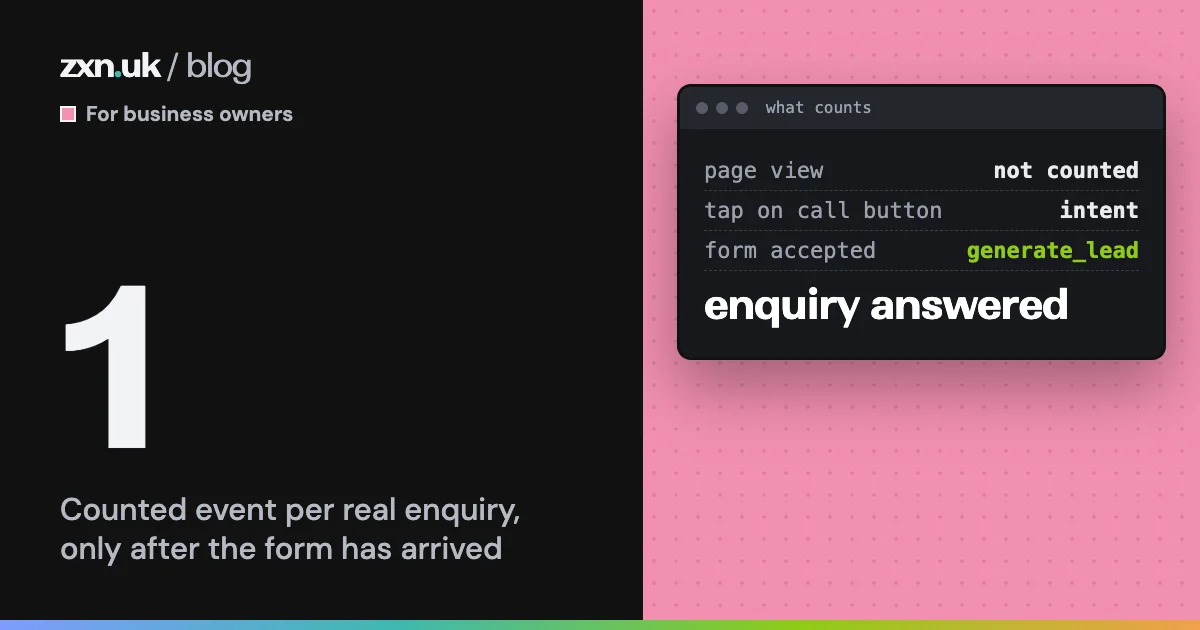
On the sites we build, the analytics records one event when an enquiry form has been accepted by our server, and none before. Google’s own recommended name for this is generate_lead, and in Google Analytics you mark it as a key event, which Google describes as an action that is particularly important to your business.
The detail matters. If the event fires when the form page loads, every visitor who glanced at the form becomes a “lead”. If it fires when the button is pressed, every failed or spam submission does too. Count it when the enquiry has arrived, and the number in your report matches the emails in your inbox. If it does not match, something is wrong, and that is worth knowing too.
Where the enquiry came from is the other half. Our own blog does this: the Get a quote button at the end of each post carries the name of the post it was pressed on, so when a quote request arrives we know which post sent it. A simple version for any business is a different phone number or a “how did you hear about us” box, as long as someone reads the answers.
Compare like with like
A new site that launches in spring will look better than the old one did in winter, for reasons that have nothing to do with the site. The fair test is the same weeks a year earlier, or at least several weeks either side of the launch, with the obvious differences written down: a price change, an advert, a busy season.
Then compare three numbers, before and after:
- Search impressions for the things you sell, in your area.
- Enquiries the site recorded, checked against your inbox.
- Enquiries a person answered that turned out to be real customers.
If the first rises and the third does not, people are finding you and something on the site is not persuading them. If the third rises, the site is working, whatever the visit chart says. Small numbers swing a lot, so for most small businesses a few months of tallies say more than any one week.
If you are choosing who looks after your site, our list of what a website subscription should include covers the rest. If your site has no way of telling you this today, the button below reaches us. We reply by the next working day.